
CASE 04 · ADP · PROGRESSIVE PAYROLL
Catching payroll errors before payday does.
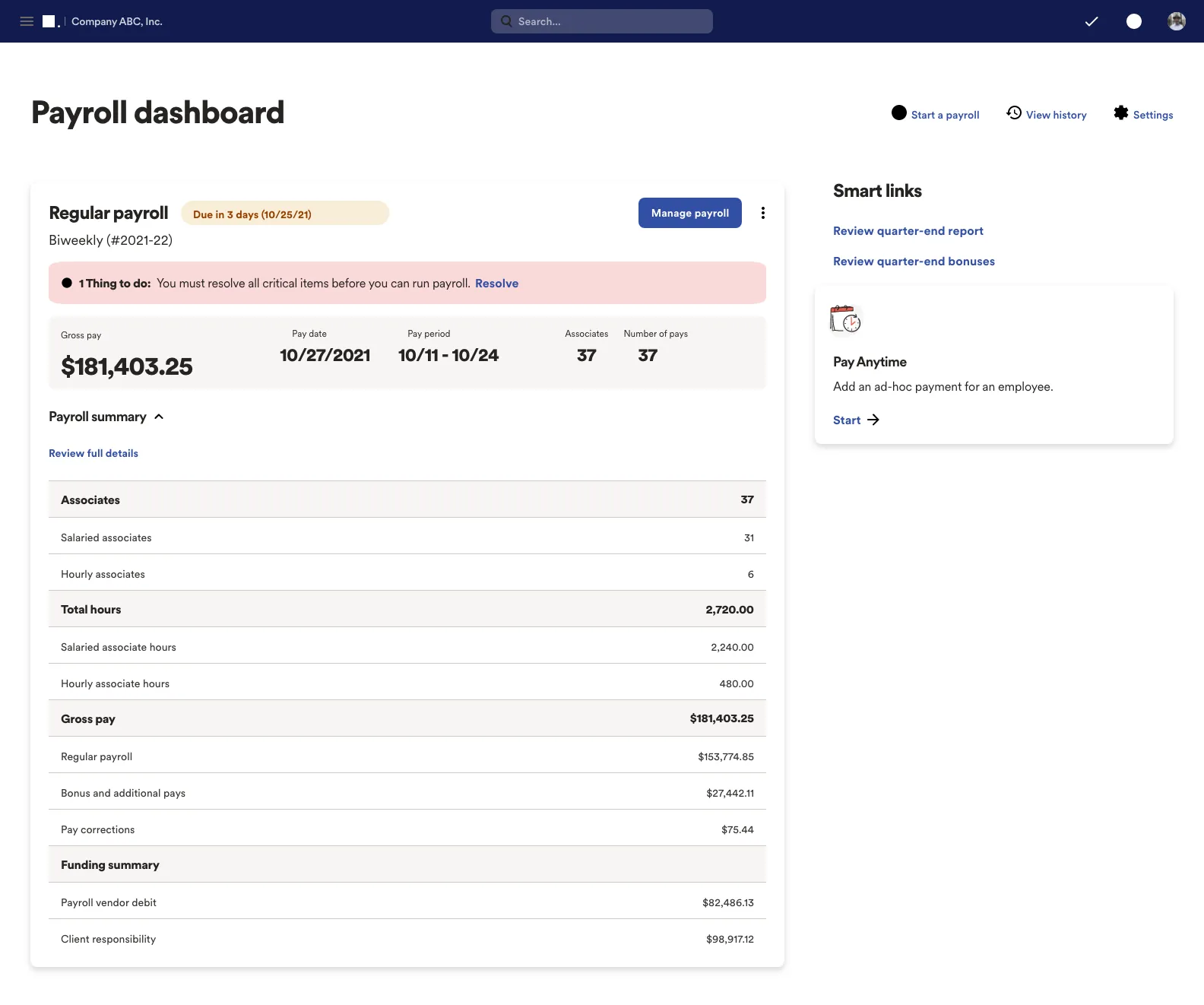
I designed Progressive Payroll, a live payroll register that flags problems throughout the pay cycle so payroll teams can fix them while there's still time.
01 · THE PROBLEM
Payroll errors showed up when it was almost too late to fix them.
Payroll validation usually happens at the end. Errors appear after most of the processing is done, and key numbers stay hard to review until the cycle is nearly over.
Payroll teams work to tight deadlines and have very little room for doubt. One small issue can mean extra investigation, a delayed run or a call to support. We needed to cut that friction without making a sophisticated system any more complicated.
So we asked: what if payroll professionals could see problems before payroll became a problem?
The answer was Progressive Payroll, a live, interactive register that flags critical issues all through the cycle and keeps employee earnings up to date. It rests on four ideas.
IDENTIFY
Surface errors
Critical issues flagged continuously, as they happen.
PREVIEW
See net pay
Expected net pay shown in real time.
RESOLVE
Fix it early
Problems handled before they grow.
VALIDATE
Check less
Less manual effort to confirm results.
02 · MY ROLE
Where did I sit?
Senior UX/UI designer inside an Agile product team.
I was the Senior UX/UI Designer on the concept. I owned research, interaction design, prototyping, usability, accessibility and design documentation.
I worked in an Agile team with product stakeholders, engineering, QA and business partners, so the design stayed tied to what the platform could really do and how payroll teams really work.
03 · HOW I WORKED THROUGH IT
Start with how payroll actually gets done.
Payroll is a process, so the design started with the process. I mapped how people manage the pay cycle before deciding what any screen should show.
STEP A
Define
I mapped the current workflow, user pain points and business priorities to find where friction built up and where more visibility would help.
STEP B
Explore
Findings became flows, interface concepts and high-fidelity prototypes. The key choices were what stays visible and how a user gets from spotting an issue to fixing it.
STEP C
Evaluate
I reviewed prototypes with stakeholders and tested assumptions with users, iterating while staying inside technical and operational limits.
STEP D
Refine
Interaction patterns, hierarchy and accessibility got their final pass, and I documented the flows and patterns so the wider team could extend them.
04 · WHAT RESEARCH TOLD US
Start with the people responsible for getting payroll right.
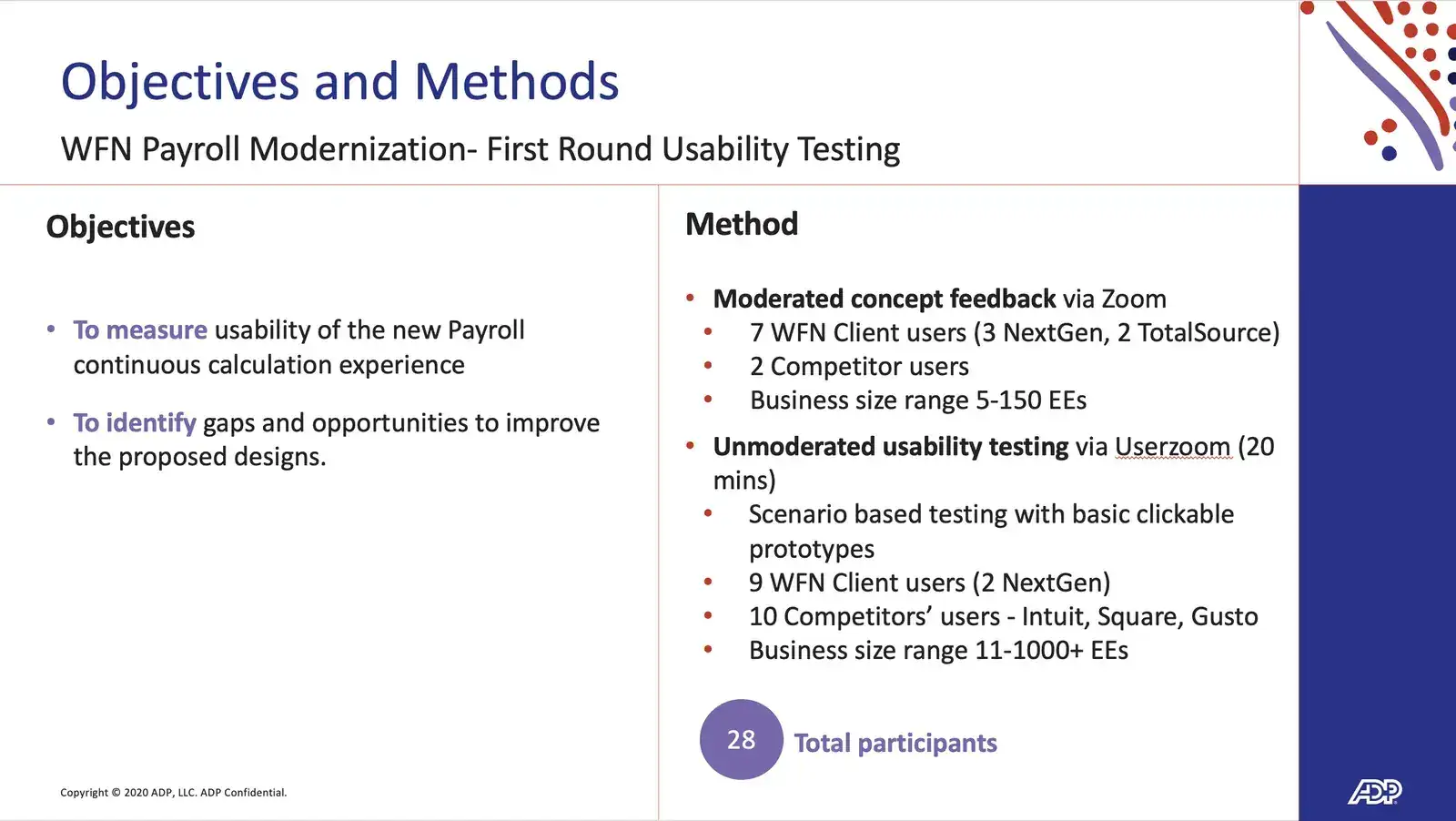
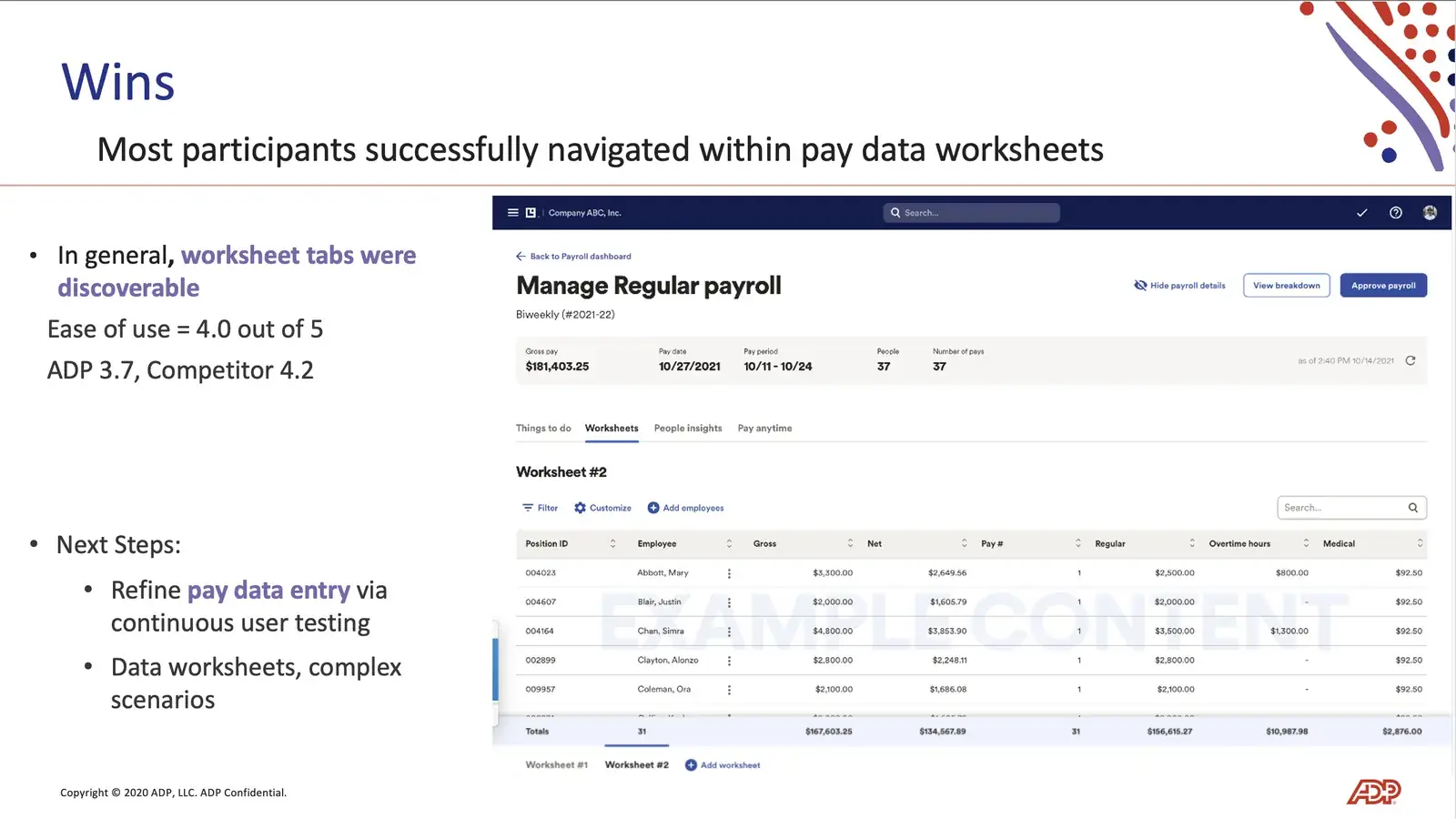
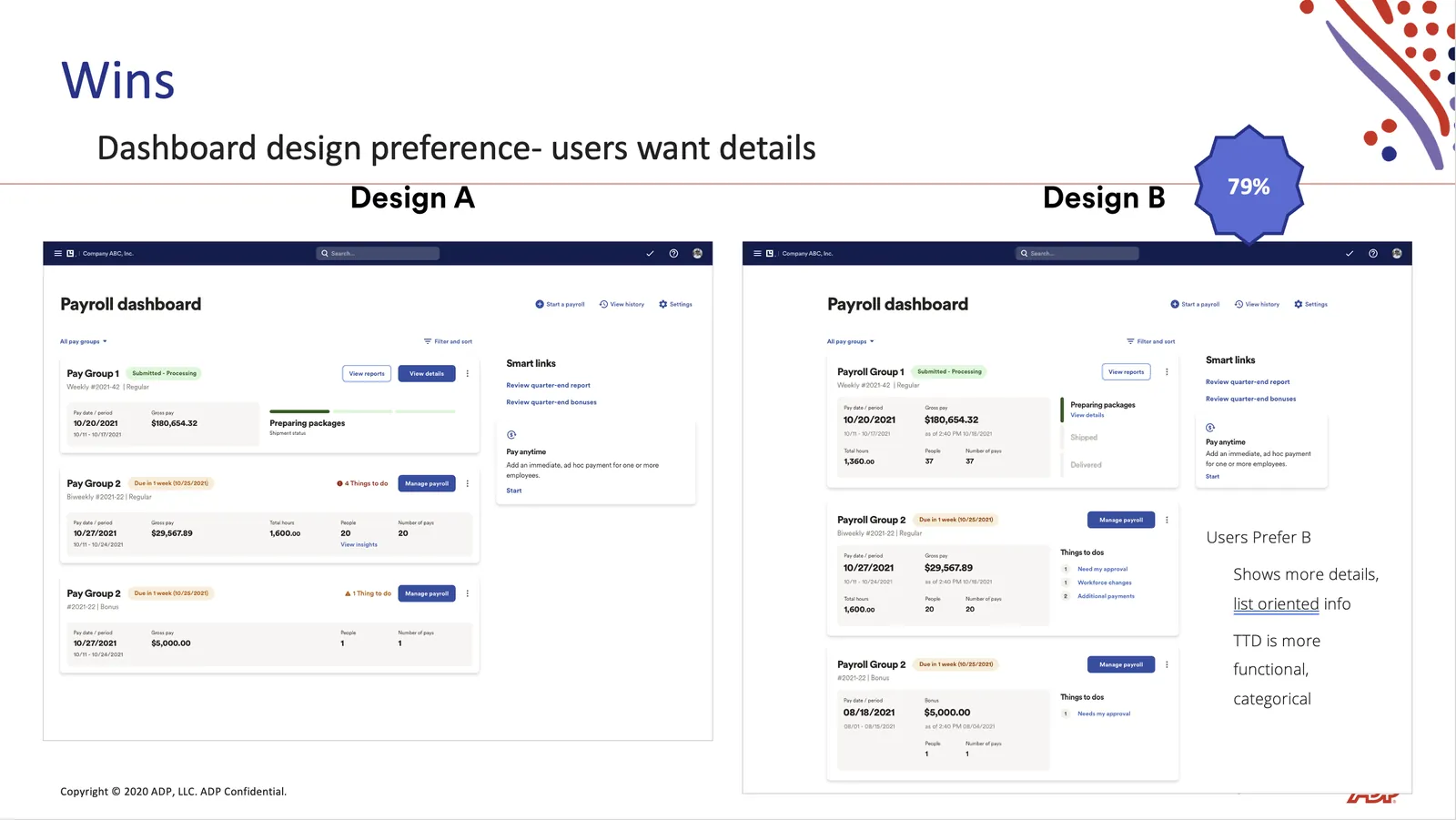
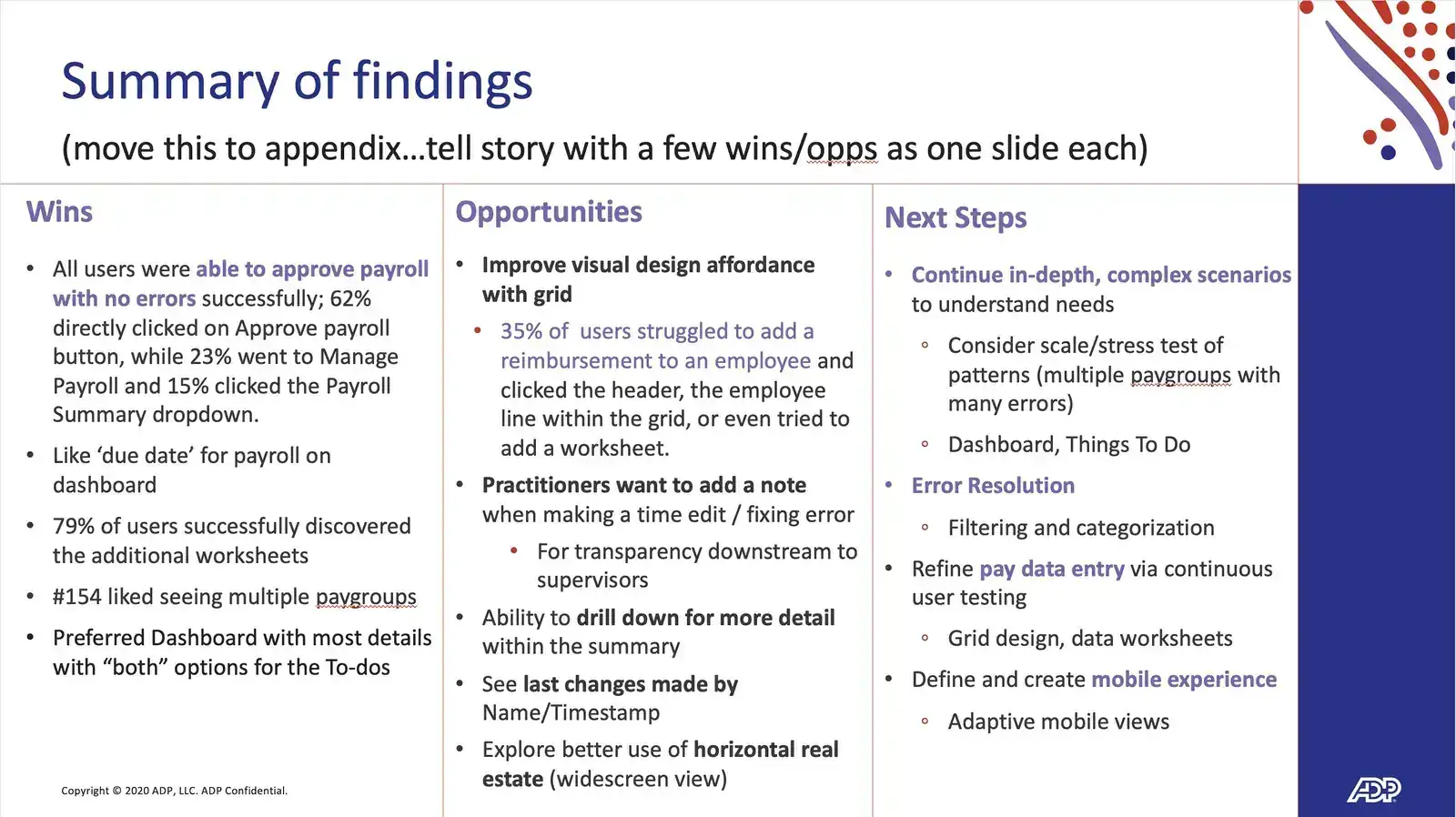
Research focused on HR and payroll professionals, the people closest to the process and its pain. Interviews, surveys and usability tests showed where they struggled, what information mattered most and which steps ate up time for no good reason.
The same problems kept coming up: finding errors, validating results, waiting on information and confirming payroll by hand.
Give people the information sooner, and make it easier to act on.
05 · STRUCTURE FIRST, POLISH SECOND
Not every number deserves the same attention.
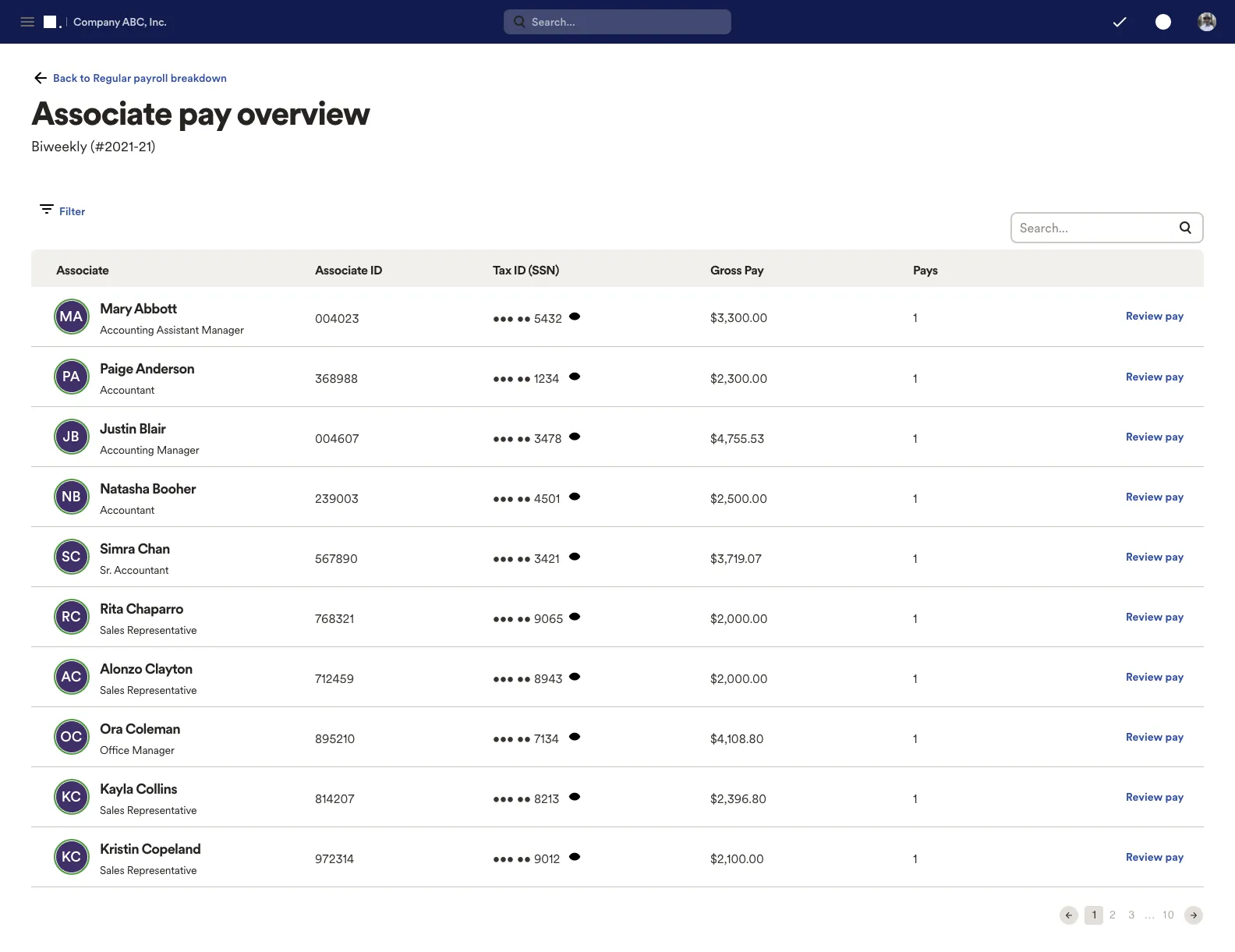
Progressive Payroll pulls many payroll data points into one interface. I worked out how status, errors, employee earnings and required actions relate, then gave the screen a hierarchy that lets people scan fast and dig in when they need to.
Accessibility was part of the work from the first sketch, so critical information, interactions and system feedback worked for everyone who relies on them.
- 01
Critical: stop and fix
- 02
Needs action before the run
- 03
Ready to go
- 04
Just monitor
06 · THE PRODUCT
One register. Every issue. A clear next step.
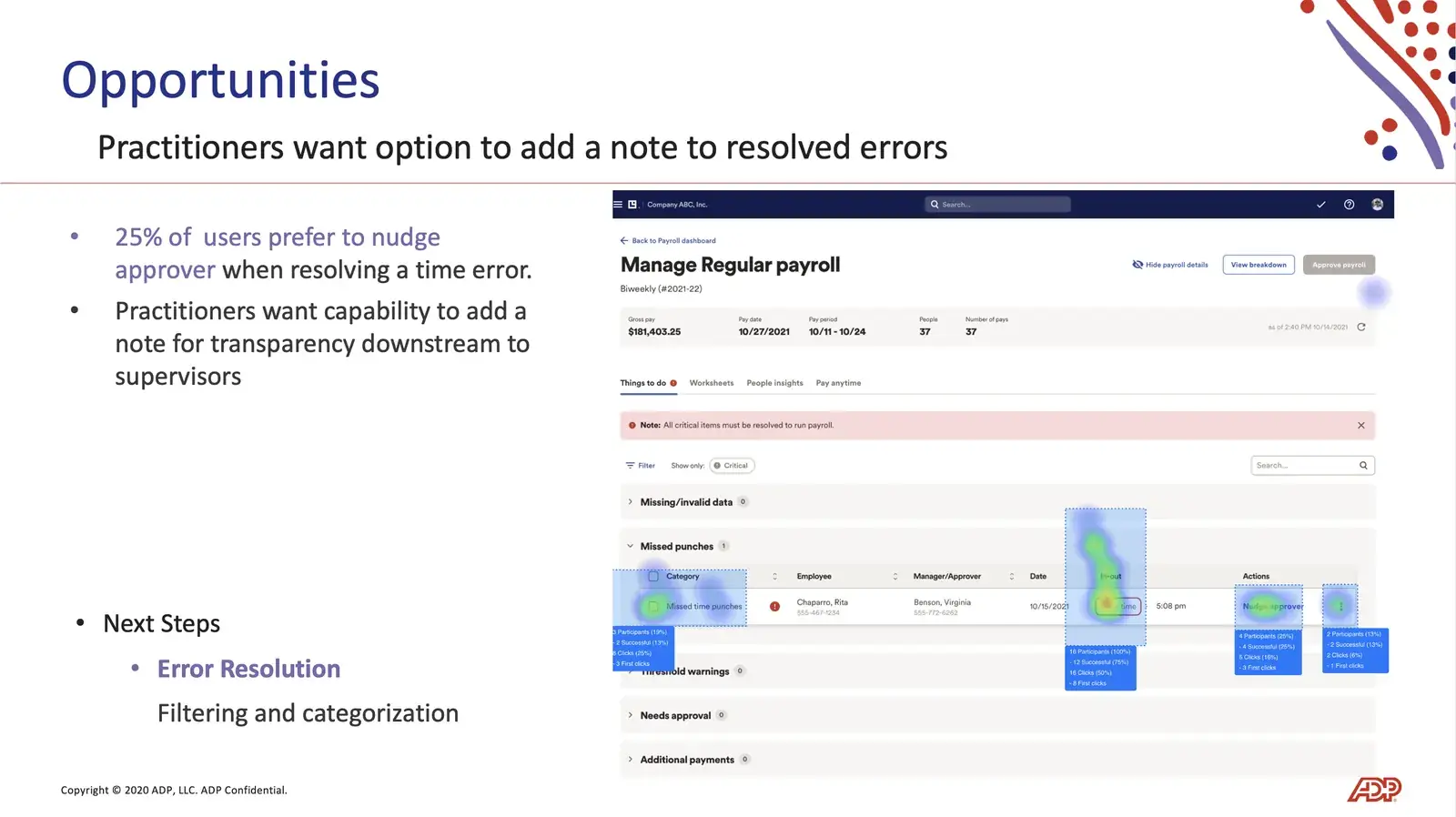
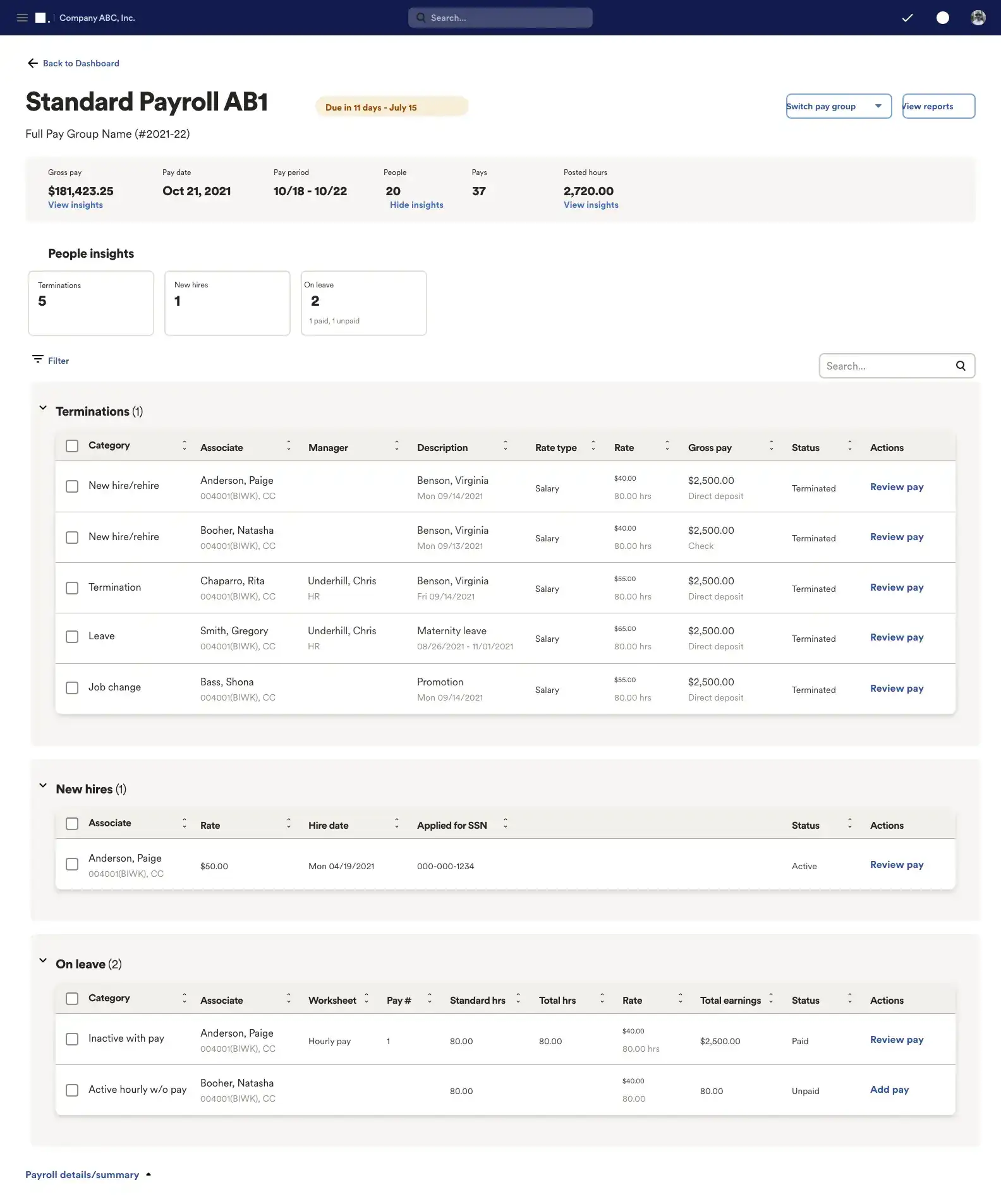
The final concept let payroll staff monitor, review and respond to activity across the whole cycle. What's critical, what needs action and what's ready each have their own place, so nothing important hides in a table.
07 · RESULTS
A more proactive way to run payroll.
Progressive Payroll moved validation from the end of the cycle into the middle of it, so teams could catch problems while there was still time to act.
Earlier
Critical errors visible throughout the cycle.
Real time
Expected net pay without waiting for the period to close.
Less manual
Fewer repetitive, time-consuming checks.
Confident
A clear view of what needs attention and what's ready.
08 · WHAT I TOOK FROM IT
Enterprise tools don't need to hide complexity. They need to help people manage it.
For payroll teams, efficiency has less to do with speed and more to do with having the right information at the right moment. Designing around the people doing the work, instead of around the data, is what made this concept click. It's the same test I used at American Express and Prudential.